Why does switching between CRM, email, and project tools waste so much of the working day?
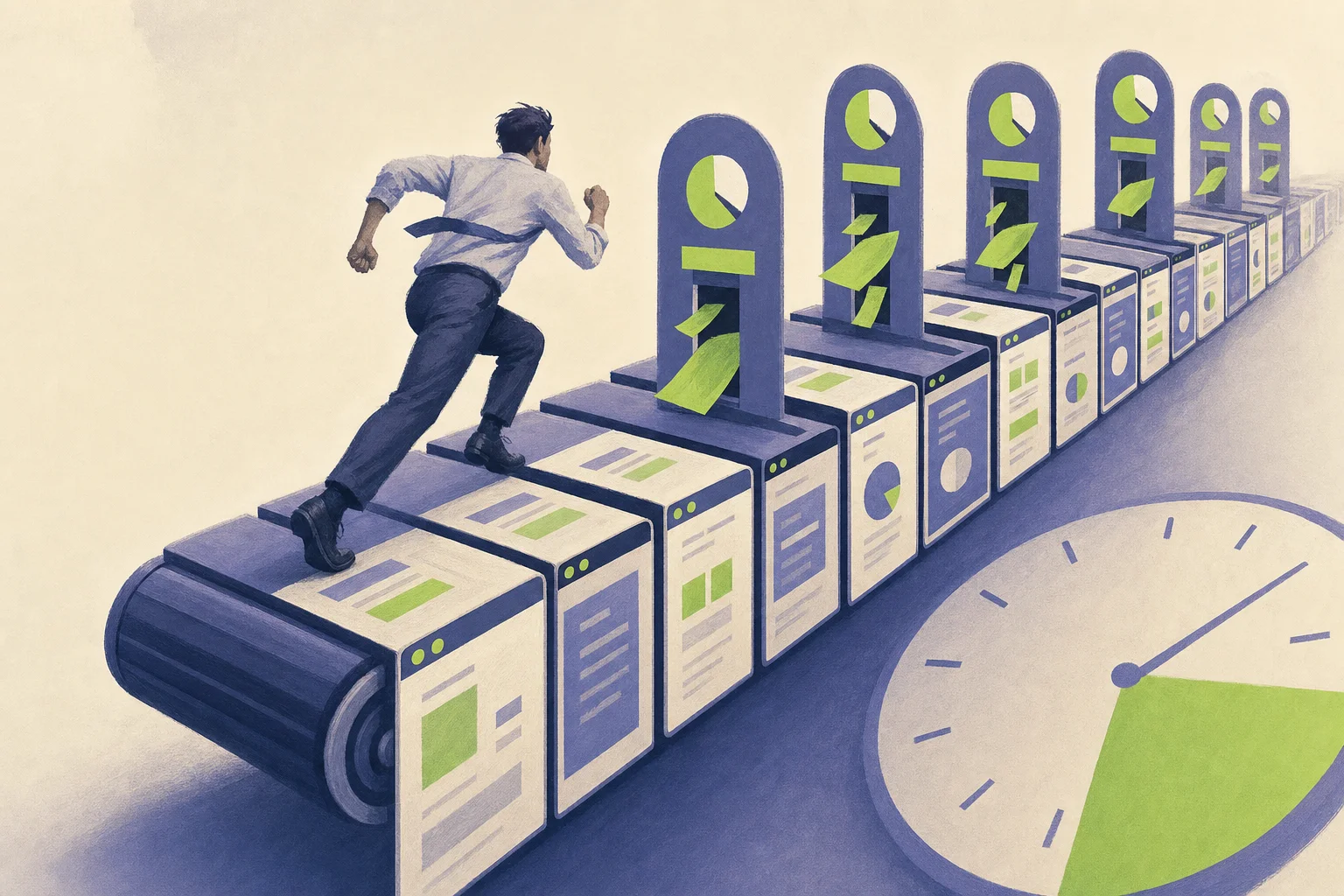
Switching between your CRM, email, and project tools wastes so much of the working day because each system keeps its own context — and your brain pays a steep cognitive tax every time it reloads that context from scratch. The fix is not another app; it is an orchestration layer like amaiko that brings context to you inside Microsoft Teams and Outlook. The measurable damage is real: digital workers toggle between applications nearly 1,200 times a day, spend 59 minutes daily searching for information across apps, and lose up to 40% of productive time to chronic multitasking.
This article examines why enterprise software fragmentation creates such severe productivity losses, quantifies the real cost of context switching for your sales and operations teams, and explains why reactive tools — standard chatbots — fail to solve the underlying problem. It is written for CTOs, CIOs, and business leaders whose teams juggle too many tools across departments and who want to streamline workflows without adding yet another disconnected platform.
What you will take away from this article:
- The quantified productivity loss from CRM–email–project switching, including annual cost projections
- The neuroscience behind why context switching destroys focus and decision quality
- Where the highest-friction switching points sit in real sales and project workflows
- How an AI orchestration layer with persistent memory removes the “toggle tax” without replacing your existing tools
- The compliance and data-residency considerations for EU companies deploying cross-system intelligence
- Why the answer is a native intelligence layer — no separate app, no new interface, no training
What causes enterprise software fragmentation?
Enterprise software stacks have grown organically over the past decade, and the result is a workday where employees spend roughly 60% of their time on administrative tasks rather than skilled, meaningful work. The gap between what each tool promises individually and what the stack delivers collectively is one of the most expensive inefficiencies in modern business.
How many tools does the average employee use every day?
Employees use about 10 different applications daily: Outlook for email, HubSpot or Salesforce for leads, Monday.com or Jira for projects, Microsoft Teams for conversation and meetings, SharePoint for documents, OneDrive and Google Drive for files, plus assorted analytics and marketing platforms. Each tool serves a legitimate function. The problem is that none of them maintain persistent cross-system memory — they operate as isolated silos that force users to manually pull data from one context into another.
Even when integrations exist, they are usually shallow, when deep integration is the actual requirement for continuity. A CRM notification might surface in Teams, but clicking it opens a separate browser tab with a completely different interface, search logic, and navigation. The experience stays discontinuous. Companies with genuinely integrated tools see better productivity and collaboration, but most mid-market organizations have achieved notification forwarding, not deep integration — which often makes things worse through notification fatigue that erodes concentration.
How does context get lost between systems?
Information fragmentation happens when data is scattered across tools. Consider a straightforward sales interaction: a prospect emails your account executive in Outlook. The deal history lives in HubSpot. The project specs sit in SharePoint. The last internal discussion happened in a Teams channel three weeks ago. The contract terms were agreed in a meeting that was never properly documented.
To respond competently, the rep must reconstruct context across four or five systems by hand. Each switch means loading a different application, recalling different search patterns, and holding prior information in working memory while navigating a new interface. Research shows cognitive load rises with every application switch, and each reconstruction carries risk: missed details, outdated information, or simply forgetting what you were looking for by the time you find the right system.
This is where Sophie Leroy’s concept of “attention residue” becomes critical. When you switch from reading an email to searching your CRM, part of your focus stays attached to the email — its tone, its urgency, its specific request. That residual attention degrades performance on the CRM task, and when you switch back, you have partially lost the CRM context too.
What is the cognitive switching penalty?
Neural-imaging studies show that task switching activates the frontoparietal control network and the dorsal and ventral attention networks at once, burning significant cognitive energy while slowing processing and reducing accuracy. Researchers call the result both “local switch costs” — the immediate delay and error spike on each switch — and “global mixing costs,” the ongoing overhead of staying ready for multiple task types all day.
High cognitive load from frequent switching hits decision quality, not just speed. When your team constantly rebuilds context, they decide with incomplete information, lower accuracy, and higher mental fatigue. It takes an average of 23 minutes to regain focus after an interruption — and when interruptions arrive dozens of times an hour, full focus is never actually reached.
How much time does daily tool switching actually waste?
The cognitive costs above are not abstract. They translate into lost hours, wasted salary, and measurable drops in output quality across the whole organization.
What is the “toggle tax” in enterprise environments?
The average digital worker toggles between applications about 1,200 times a day. It takes roughly 9.5 minutes to regain focus after switching tasks, though most workers never fully refocus before the next switch lands. Employees lose about 9% of annual work time to context switching — on average, up to 5 full workweeks per year.
For a mid-size team of 20 knowledge workers at a fully loaded cost of €50/hour, the annual switching-related productivity loss runs between €40,000 and €60,000, depending on role complexity. For companies with 50–100 employees across sales, marketing, and operations, that scales to €150,000–€300,000 a year — capital that produces zero business growth. The research is consistent: 45% of workers feel less productive because of too many app switches, and chronic multitasking can consume up to 40% of productive time. The drop correlates with task complexity — simple data entry suffers moderately, but deal strategy and cross-functional project management suffer catastrophically.
What does a CRM–email–project workflow actually cost?
Consider the daily workflow of a sales rep managing 20 active leads:
- Email arrives in Outlook — a prospect replies to a proposal (30 seconds to read).
- Switch to HubSpot — find the contact, update the deal stage, log the email, add notes (2–3 minutes).
- Switch to Monday.com — update the onboarding timeline based on the reply, assign tasks to the implementation team (1–2 minutes).
- Switch back to Outlook — draft and send a reply referencing contract terms from the last meeting (2–3 minutes).
- Switch to Teams — notify the account manager of the status change, reference the timeline (1 minute).
Each cycle takes 7–10 minutes, most of it spent on navigation, search, and manual data duplication rather than actual selling. Multiply by 20 leads a day, and 30–60 minutes vanish into pure tool management — time that produces no value for prospects or customers. Manual duplication also raises error risk: a mis-logged deal stage, a forgotten task, or an outdated CRM note creates downstream problems that cost more time to diagnose and fix. Over 40% of businesses abandon their CRM over inefficiencies exactly like these — not because the software is bad, but because the workflow around it is broken.
How long do employees spend searching for information?
Employees spend 59 minutes a day searching for information across apps. When client history lives in email, project status sits in Monday.com, contracts are in SharePoint, and the last conversation happened in Teams, even a simple question — “What did we agree on pricing?” — triggers a multi-system hunt.
| Search scenario | Fragmented systems | Integrated / orchestrated systems |
|---|---|---|
| Find last client communication | 3–5 min (search email, check CRM notes, scan Teams) | 15–30 sec (unified context) |
| Check current project status | 2–4 min (open project tool, find board, locate task) | 10–20 sec (proactive summary) |
| Retrieve contract terms | 3–6 min (search SharePoint, check attachments, verify CRM) | 20–40 sec (cross-system retrieval) |
| Compile client briefing for a meeting | 15–25 min (aggregate from 4–5 systems) | 2–3 min (auto-generated briefing) |
Integration reduces the need to toggle between tools, and orchestrated systems can cut productivity losses by 50–70% on information-retrieval tasks — a difference that compounds across every employee, every day.
Book a demo and see how much of that time your team gets back.
Which switching scenarios cause the most friction?
With the aggregate costs established, examining specific workflows reveals exactly where the highest-friction switching points sit — and where orchestration delivers the biggest gains.
How costly is the email-to-CRM switch?
The email-to-CRM switch is the single most frequent context switch for any sales team. The manual process runs like this:
- Read the inbound email in Outlook — absorb the question, tone, and specific request.
- Open HubSpot in a separate tab — wait for it to load.
- Search for the contact by name or email (often misspelled or inconsistent).
- Navigate to the correct deal record — verify it is the current deal, not a historical one.
- Update contact notes — manually transcribe the relevant details from the email.
- Change the deal stage if applicable — select from a dropdown, confirm.
- Log a follow-up task — set a due date, assign an owner.
- Switch back to Outlook — re-read the email to recall specifics before replying.
This sequence consumes 3–5 minutes per interaction. With 20+ occurrences a day, that is easily 1 hour daily in worst-case scenarios. An AI agent that summarizes sales calls and updates the CRM automatically eliminates steps 2–7 entirely, freeing the rep to spend that hour actually selling. When email context never reaches the CRM automatically — or reaches it as an unstructured log nobody reads — the record becomes unreliable, and poor CRM adoption drags productivity down. Not because people refuse to use the CRM, but because the cost of maintaining it by hand exceeds the perceived benefit.
Why do project managers lose time to disconnected tools?
Project managers face a different but equally costly pattern. Status updates arrive through multiple channels — client emails, developer messages in Teams, CRM notes from sales — and each one needs manual translation into the project platform.
| Workflow aspect | Disconnected tools | Orchestrated workflow |
|---|---|---|
| Status update propagation | Manual entry in Monday.com after reading email/Teams | Automatic task update triggered by message context |
| Dependency tracking | Spreadsheet or manual cross-referencing | Real-time dependency graph across systems |
| Client communication logging | Copy-paste from email to project notes | Automatic capture with context |
| Team notification | Separate message in Teams after updating the project tool | Proactive notification with relevant context |
A case study from ARC, a professional-services firm with 1,500 employees, shows the impact: after consolidating its CRM and email integrations, sales lead response time improved by 94%. The gain came not from faster typing or better salespeople, but from eliminating the manual context reconstruction that delayed every response.
What does cross-system data retrieval cost?
The most insidious time waste occurs during data enrichment and cross-system record maintenance: transferring contact data from email signatures into HubSpot, matching company data from external sources, checking for duplicates, and updating related project files in SharePoint. One AI-automation case study showed that automating this process saves over 1 hour a day of sales-admin work while measurably improving data consistency. Automation cuts repetitive CRM tasks, and consolidating software reduces tool sprawl — but the deeper fix requires an orchestration layer that maintains context across all systems at once, beyond point-to-point integrations.
How does AI orchestration solve the toggle tax?
The switching scenarios above share a root cause: enterprise tools were designed to work independently, not as one system. Solving the problem means moving from reactive tool use to proactive AI orchestration — a shift from the pull method (you search for information) to the push method (information finds you). This is exactly what an AI orchestration layer does.
How does orchestration close data silos and information gaps?
Communication silos exist vertically (email vs. CRM vs. file storage vs. project tools) and horizontally (sales vs. marketing vs. operations). The result: no single person or system holds a complete picture of any customer, deal, or project. Effective CRM integration can deliver a 360-degree view, but achieving it by hand is impractical at scale.
The solution is a native AI knowledge layer that sits above your existing stack and maintains persistent enterprise memory across all connected systems. Rather than replacing HubSpot, Outlook, or Jira, an orchestration layer like amaiko connects to these systems through native connectors, building a unified context graph that any team member can query in plain language — directly from Microsoft Teams or Outlook, with zero UI friction. When a rep asks “What’s the latest on the Acme Corp deal?” inside Teams, the layer pulls from the CRM record, relevant email threads, project status, and, with the Meeting Notetaker add-on, meeting transcripts to deliver a complete answer in seconds. This is the ability to query HubSpot directly from Teams in plain, everyday language.
How does orchestration eliminate manual data entry and duplication?
A Series B SaaS company with roughly 90 employees audited its HubSpot instance and found 847 fields, 47% of them redundant. After eliminating duplicate fields and consolidating its CRM architecture, reporting time dropped by 74% and pipeline velocity measurably improved. Every redundant field is a place where someone has to enter or maintain data by hand — another context switch, another chance for error, another minute lost.
Proactive automation that updates all systems at once removes this waste. amaiko’s expanding marketplace of specialist agents includes connectors to HubSpot, Personio and other core enterprise tools, so one request in Teams can update the CRM record, create follow-up tasks and draft a summary email. With the Meeting Notetaker add-on, meetings also come back as minutes, and their action items land in Microsoft To Do. This runs in production today for 200+ daily users.
Why do reactive chatbots fail where proactive orchestration succeeds?
Many reactive AI tools still forget prior conversations, see only what one user gives them, and need constant prompting. Microsoft 365 Copilot now has a memory, in preview, but it belongs to one user and is stored in that user’s mailbox. Recent research on agent memory architecture confirms that without a shared, governed memory layer, agent behavior degrades over time: past decisions are forgotten, context drifts, and users must keep re-supplying the same information.
The difference between reactive chatbots and proactive orchestration is fundamental. A reactive tool waits for a question, then searches whatever narrow source it can reach. A proactive orchestration layer maintains persistent multi-system memory that retains company-wide context indefinitely, proactively surfaces relevant information — morning briefings, inbox triage and, with the Meeting Notetaker add-on, meeting recall with drafted action items — and acts through a growing marketplace of specialized agents. amaiko consolidates your team’s conversations into company knowledge every night, and that knowledge stays when someone leaves.
Persistent memory in the enterprise demands bulletproof compliance. amaiko provides 100% EU data residency, is ISO 42001-conformant (the international standard for AI risk management and governance), and is GDPR-compliant by design — including support for data erasure (Art. 17), data minimization (Art. 5), and purpose limitation, and aligned with the EU AI Act. That removes the procurement blockers stopping EU mid-market companies from adopting AI tools that route data through uncontrolled public LLM infrastructure. At €41.58 per user/month (billed annually), with unlimited tokens, amaiko puts enterprise-grade orchestration within reach without six-figure commitments. See the security overview and pricing for the detail.
Conclusion and next steps
Tool switching drains the working day because disconnected systems force constant context reconstruction the human brain was never built to handle. The data is unambiguous: 1,200 daily app toggles, 59 minutes lost to cross-system search, up to 5 full workweeks a year consumed by context switching, and productivity drops of 20–40% on complex tasks. Your people cannot reach their potential when the technology stack actively prevents focus.
The solution is not adding a tool to the stack — it is adding an intelligence layer that connects your existing tools into one context. Deep-work blocks and message-response windows help at the individual level, but systemic change requires an AI orchestration layer that removes the root cause.
Your immediate next steps:
- Audit your tool usage — track how many switches employees make daily and where the highest-friction points sit between email, CRM, and project tools.
- Identify friction zones — map the specific borders (email-to-CRM, CRM-to-project, storage-to-communication) where the most context and time are lost.
- Implement an AI orchestration layer — deploy a solution that runs natively in Teams and Outlook, needs no change management, and connects your systems through persistent memory.
- Clean up your CRM architecture — remove redundant fields, enforce data ownership, and unify objects so less manual duplication is required.
For further reading, see why controlling AI agent sprawl matters as much as controlling the tool sprawl this article describes. Recognized with 2nd place at BayStartUP Ideenreich 2026, amaiko is purpose-built for the enterprise productivity problems legacy integrations cannot solve — with proven gains including 57% shorter onboarding and 35% less time lost to internal information gathering.
Frequently asked questions (FAQ)
How much time does switching between CRM, email, and project tools actually waste daily?
Employees spend about 59 minutes a day searching for information across apps, and it takes roughly 9.5 minutes to regain focus after each task switch. With the average digital worker toggling between applications 1,200 times a day, the cumulative loss reaches about 4 hours a week — or up to 5 full workweeks a year per employee. For teams managing active deals across HubSpot, Outlook, and Monday.com, 30–60 minutes a day disappear into pure navigation and context reconstruction.
What causes the biggest productivity losses when switching between enterprise applications?
The primary driver is the cognitive switching cost, not application load time. High cognitive load from frequent switching degrades decision quality, and attention residue from the previous task drags down performance on the current one. It takes an average of 23 minutes to regain full focus after an interruption, and chronic multitasking can consume up to 40% of productive time. The secondary driver is information fragmentation: when data is scattered across tools, employees waste time manually rebuilding context that should be instantly available.
How can AI orchestration reduce context switching in Microsoft 365 environments?
An AI orchestration layer like amaiko sits natively inside Microsoft Teams and Outlook and connects to your CRM, project tools, and file storage without forcing users to leave their primary work environment. Instead of switching to HubSpot to check a deal or opening Jira to update a task, team members ask in plain language from Teams and get cross-system answers in real time. This eliminates the toggle tax by bringing context to the user rather than sending the user chasing context across systems.
What is the difference between reactive chatbots and proactive AI orchestration?
Reactive chatbots wait for a prompt, search a narrow data source, and often forget the conversation once the session ends. Proactive AI orchestration retains persistent enterprise memory across all interactions, pushes relevant information to you (morning briefings, inbox triage), and runs autonomous workflows through specialized agents. The difference is pull versus push: reactive tools need you to know what to ask; an orchestration layer surfaces what you need before you ask.
How does persistent enterprise memory improve cross-system workflow efficiency?
Persistent memory means the orchestration layer keeps full context from every interaction across email, CRM, project tools, and collaboration platforms — indefinitely. When someone asks about a client, the system draws on meeting transcripts, email history, CRM records, and project status at once, delivering a complete answer without a manual search. This removes the 59 minutes a day employees typically spend hunting for information and prevents institutional knowledge from walking out the door during staff transitions.
What compliance considerations apply to AI orchestration in EU enterprises?
Persistent storage of enterprise data across systems triggers GDPR obligations including the right to erasure (Art. 17), data minimization (Art. 5), and purpose limitation. Any orchestration solution needs clear access rules, retention policies and a way to correct or delete what it stores. amaiko is GDPR-compliant, provides 100% EU data residency, is ISO 42001-conformant for AI governance, and is aligned with the EU AI Act. It reads Microsoft 365 with each user’s own permissions, and users can have it correct or delete what it remembers, so cross-system intelligence does not become a compliance risk. That matters most for EU mid-market companies, where hosting data outside the EU or routing it through public LLMs is a procurement blocker.
How much does amaiko cost, and does it need a Microsoft license upgrade?
amaiko is €41.58 per user/month (billed annually), with unlimited tokens, and it is bought on its own: it works with the Microsoft 365 plan you already have. Because amaiko runs natively inside Teams and Outlook with no separate app, no new interface, and no training, mid-market companies get enterprise-grade orchestration without a six-figure commitment.
Continue Reading
Which AI assistant fits nonprofit teams on Microsoft 365?
For nonprofit teams on Microsoft 365, amaiko is a good fit, even on the donated Business Basic license. Nonprofit organizations get pricing on request.
comparisonOutlook AI Assistants Compared 2026
Seven tools for Outlook triage, sorted by where they run. What works inside Outlook and Teams, what connects from outside, what skips Outlook.
data-privacyWhich AI Assistants Really Host in Germany?
Four checkpoints decide whether an AI assistant for Microsoft 365 truly runs in Germany. amaiko stores in Germany and processes AI inside the EU.